ChatGPT Prompts for Image Designing! Creating art with AI is incredibly cool and straightforward using ChatGPT! You can change your pictures into movie posters, sculptures, 3d animations, or fancy magazine images. This guide will walk you through the process step by step, using ChatGPT and your photo. Just upload your picture and paste the prompts below into ChatGPT. You can even add your twist if you like.
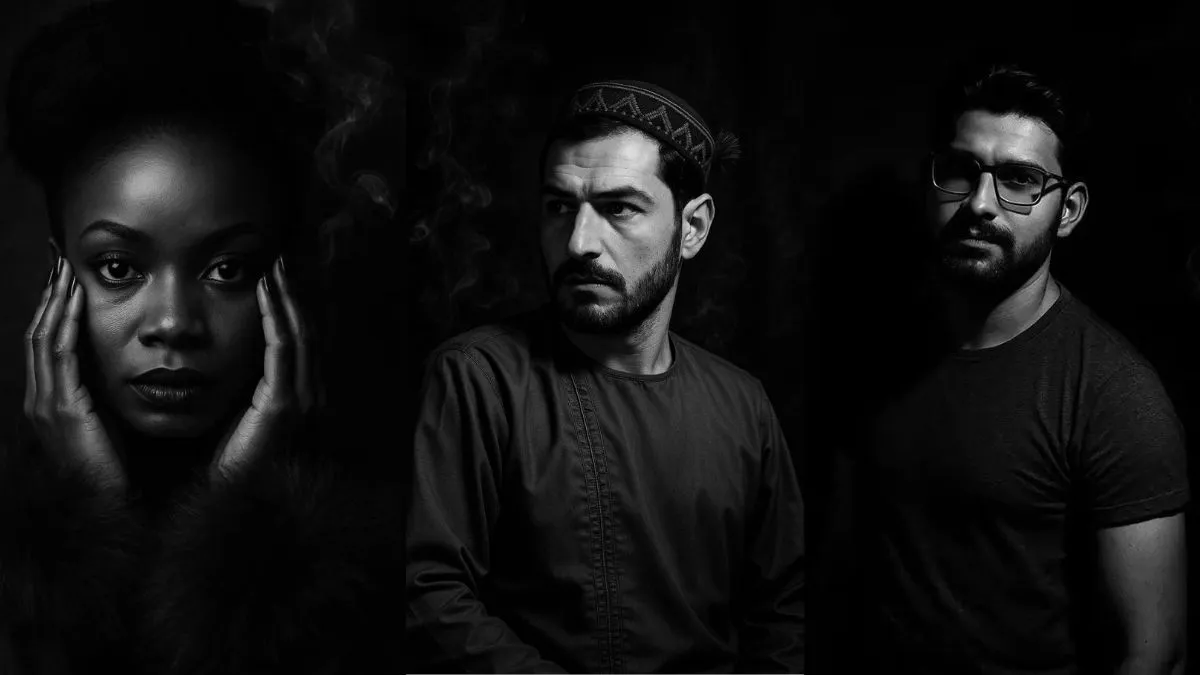
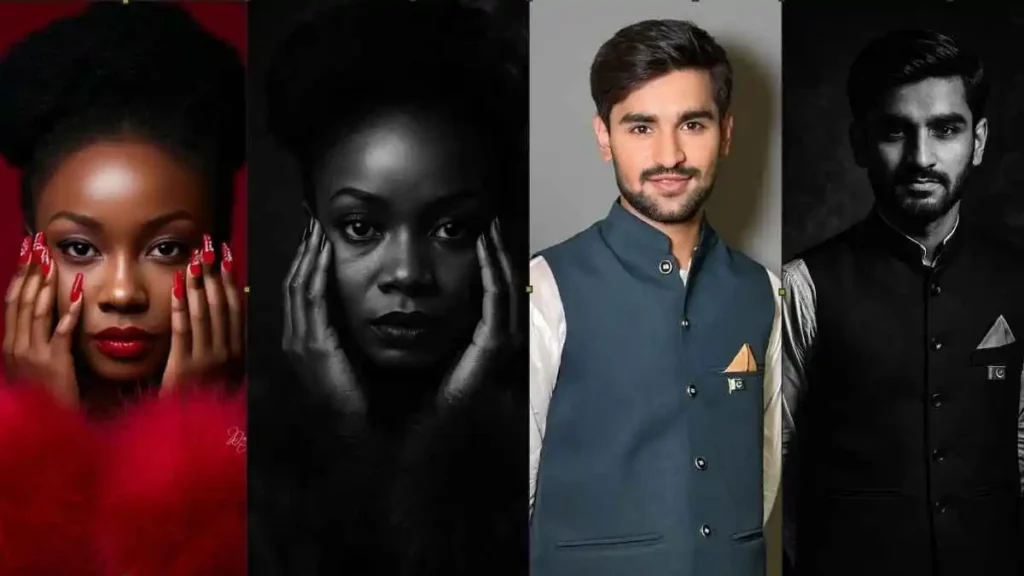
1. Film-Noir Style Portrait
Steps: ChatGPT Prompts For Image Designing
Step 1: Open ChatGPT
Step 2: Upload a photo
Step 3: Copy and paste this prompt:
Turn the photo into a classic film-noir portrait in deep black-and-white, rich shadows, and a hint of swirling cigarette smoke.Result
2. The 3d Emotion Mask Scene
Step 1: Open ChatGPT
Step 2: Upload a photo
Step 3: Copy and paste this prompt:
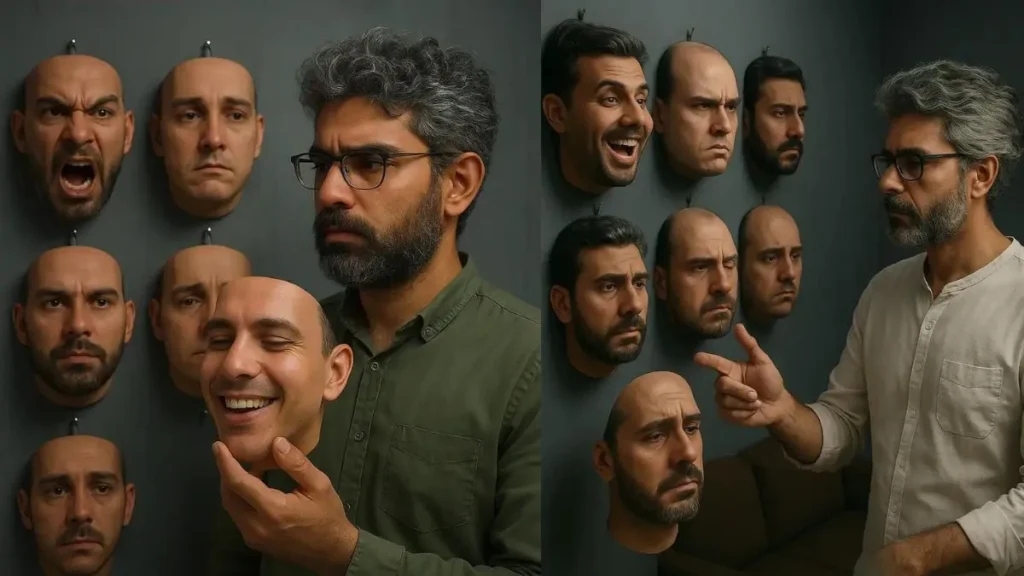
"Surreal photo of a man (image attach) with grizzi hair, in a modern grey room."

"Choosing one of many hyper-realistic 3D masks of his own face each with a different emotion (joy, anger, sadness, etc.) neatly hung in a grid."
"Surreal photo of a man (image attach) with grizzi hair, in a modern grey room.
choosing one of many hyper-realistic 3D masks of his own face each with a different emotion (joy, anger, sadness, etc.) neatly hung in a grid."
"He wears white, reaching thought fully toward a mask. Soft, directional lighting, muted tones (blues, greys, reds).
with work room minimal decor: brown couch, black shelf, books, plant, geometric lamp. Magritte inspired mood, shallow depth, cinematic."
Result
3. Cartoon Animation Safari From Sketch
Step 1: Open ChatGPT
Step 2: Upload a photo
Step 3: Copy and paste this prompt:
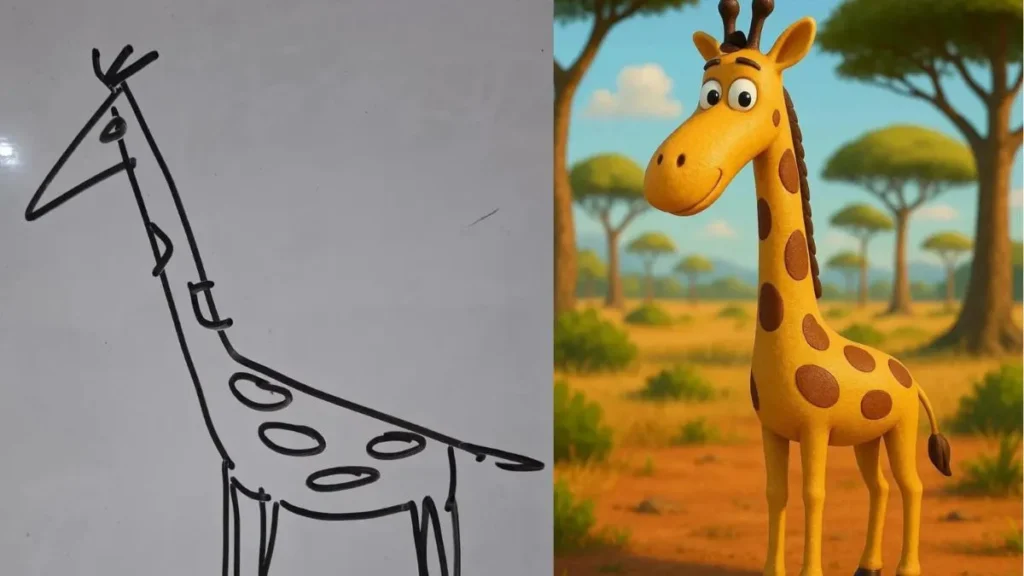
Draw in hyper-realistic 3D animation style, funny, colorful, African National Park vibe, tall trees in the background.
Result
4. Celebrity Photo with Dani Daniels & Mia Khalifa
Step 1: Open ChatGPT
Step 2: Upload a photo of Your Picture
Step 3: Copy and paste this prompt:
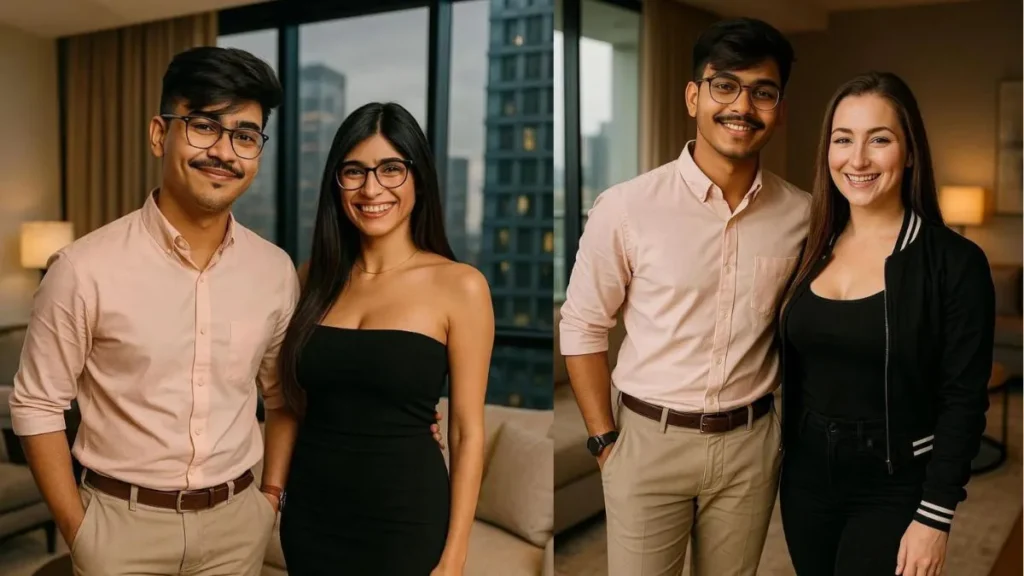
Take this uploaded image and edit it to show me standing next to dani danial in a luxury modern apartment. Make it look realistic and cinematic — like a magazine cover or celebrity Instagram post. We should all be smiling, dressed in stylish outfits, with soft lighting, high-definition details, and a cozy, classy vibe.
Result
5. Song Cover Look
Step 1: Open ChatGPT
Step 2: Upload a photo of Your Picture
Step 3: Copy and paste this prompt:
2/2
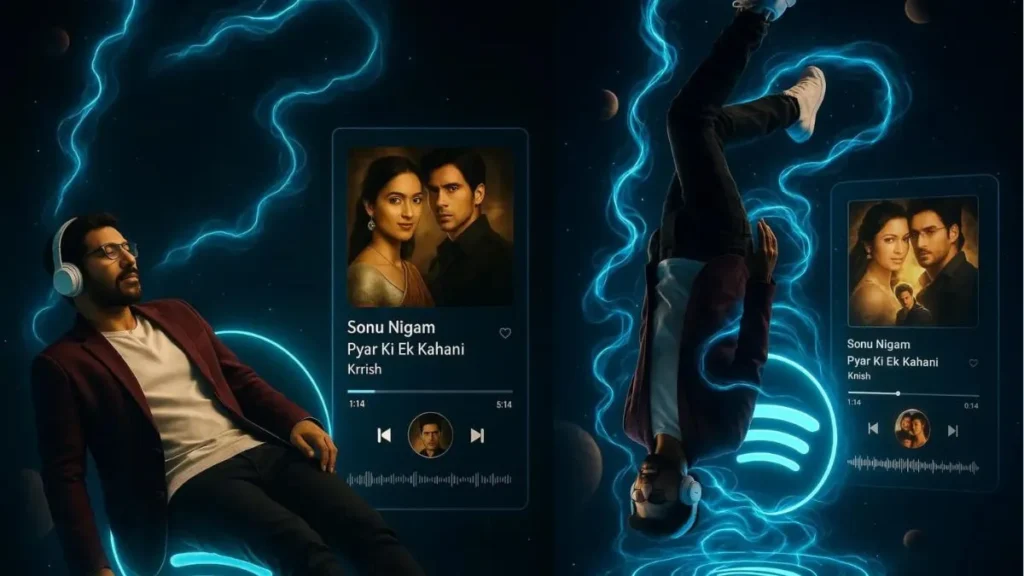
Artist: Sonu Nigam
Song: Pyar Ki Ek Kahani
Album: Krrish
Along with it's album art
A moving progress bar, play/pause icon, and thin waveform are visible.
Aspect ratio 9:16, cinematic, shot on Canon EOS R5, 50mm lens, f/4, ISO 100, 1/250s, UHD 8K. Backlight adds soft silhouette and realistic reflections, with sharp depth of field and ultra-fine details.
Result
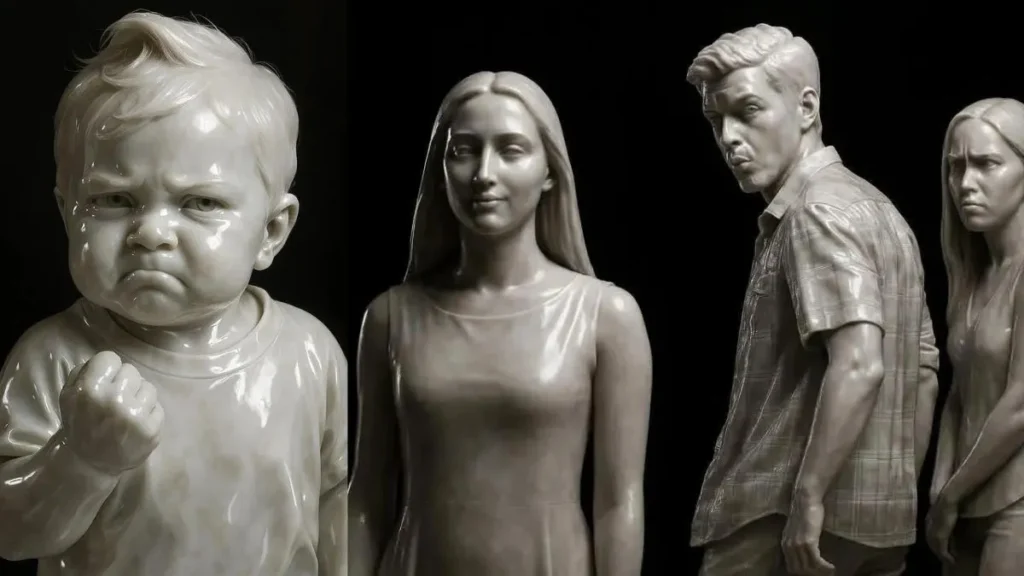
6. Marble Sculpture Effect
Step 1: Open ChatGPT
Step 2: Upload a photo of Your Picture
Step 3: Copy and paste this prompt:
A photorealistic image of an ultra-detailed sculpture of the subject in image made of shining marble. The sculpture should display smooth and reflective marble surface, emphasizing its luster and artistic craftsmanship. The design is elegant, highlighting the beauty and depth of marble. The lighting in the image should enhance the sculpture's contours and textures, creating a visually stunning and mesmerizing effectResult
ChatGPT Prompts For Image Designing Is Now Becoming an Art
You are now equipped with all the tools to craft impressive images using ChatGPT. Whether you prefer a formal black-and-white portrait or a whimsical cartoon jungle, the creative potential is at your fingertips. Upload your image, enter a prompt, and appreciate the outcomes. Experiment with it today and discover the remarkable art you can produce!
AI image generation is no longer just a tool; it’s a revolution in visual storytelling. What once took hours of editing in Photoshop can now be achieved in seconds with a few clever prompts. The rise of ChatGPT 4o has blurred the line between artist and algorithm, letting anyone become a designer without formal training.
What makes this truly exciting is the personalization. Every prompt can carry your personalit,y your tone, your style, your creative fingerprint. Want a Renaissance-style painting of yourself? A cinematic shot like Christopher Nolan’s frame? Or a futuristic cyberpunk poster for your project? All it takes is the right description, a little imagination, and ChatGPT’s new multimodal power.
This technology is also transforming content creation for businesses, influencers, and media brands. News outlets use AI to visualize stories instantly, designers use it to brainstorm faster, and creators use it to turn concepts into authentic imagery without expensive gear. The creative barrier has officially disappeared.
The real skill now lies in prompting how you describe what you want. A well-crafted sentence can produce a masterpiece; a vague one will give average results. That’s why “Prompt Engineering” has become one of the fastest-growing skills in digital creativity.
For best results, follow these quick pro-tips:
- Use cinematic language (mention camera types, lighting, lens, colors).
- Always specify style references (e.g., “inspired by Van Gogh” or “like Vogue editorial”).
- Add mood or emotion words (soft, dramatic, surreal, hopeful, etc.).
- Keep experimenting; minor tweaks can change the entire visual feel.
As AI evolves, ChatGPT’s visual capabilities are expected to merge with motion graphics, 3D rendering, and real-time editing. Soon, you’ll be able to design not just pictures but full AI-generated short films, interactive posters, and dynamic AR/VR art directly through chat.
In short:
You are no longer just a user, you’re a creator, a director, and an artist, all powered by AI.
So, open ChatGPT, upload your photo, and let your imagination flow. The next viral digital artwork could be just one prompt away.
MASTER ChatGPT 4o Image Generation in 30 Minutes.
I also watched this video, which is very informative. Watch this video for more expert insights into ChatGPT.